Make scroll-stopping videos without fighting your tools.
KULCUT brings AI creation, photo editing, captions, music, voiceover, text, stickers, templates, and timeline editing into one clean workspace for creators and brands.
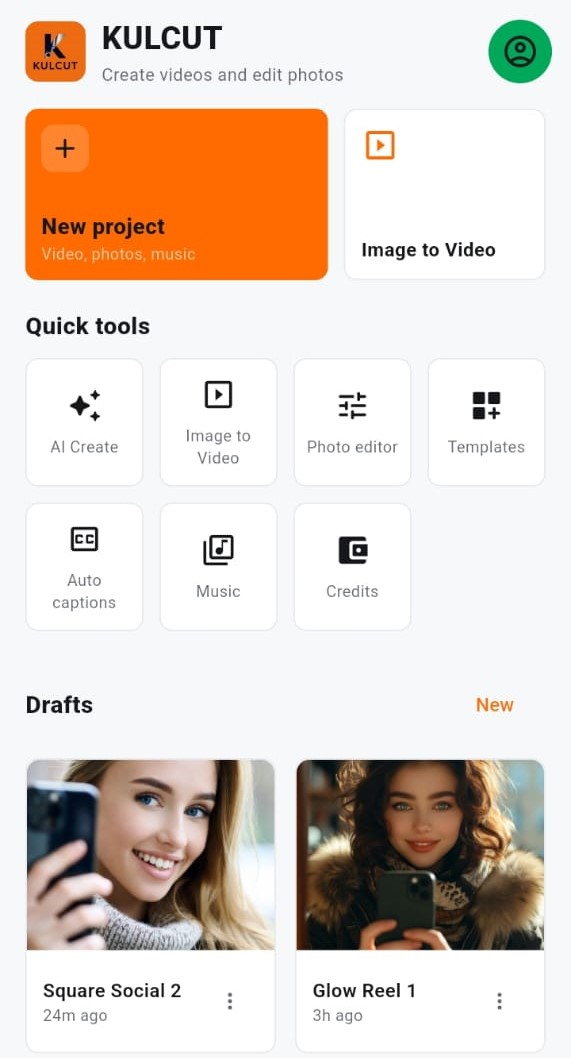
AI creation for modern content
Start with a prompt, a product image, a photo, or a clip. Generate new ideas, animate media, change backgrounds, and continue editing inside KULCUT.
Write an idea and create a short social-ready clip with aspect ratio, style, and duration controls.
Turn still photos into motion with camera movement, transitions, music, and timeline editing.
Create sharper product visuals and short promos for shops, creators, and campaigns.
A real editor after generation
AI output is only the beginning. KULCUT lets you arrange clips, adjust timing, add overlays, mix audio, preview transitions, and export polished edits.
Import images and videos, set durations, trim clips, arrange scenes, and keep media aligned cleanly.
Layer text and stickers over your media with timing controls, styling, and export-ready overlays.
Add background music, record voiceover, adjust volume, and keep audio synced to your project.
Photo tools for quick polish
Edit standalone images before turning them into videos or posting them directly.
Fine-tune brightness, contrast, color, crop, rotation, flip, and framing.
Remove or replace backgrounds, use solid colors, gradients, or image backgrounds.
Add text, branded frames, and clean compositions for posts and thumbnails.
From idea to publish-ready
KULCUT is designed around the way creators actually work: fast starts, focused editing, and a clean path to export.
Start a new project, turn images into a video, open AI Create, or use a quick photo tool.
Add clips, photos, transitions, captions, music, voiceover, text, stickers, and effects.
Create social-ready videos in portrait, square, or landscape formats and keep improving from your drafts.
Ready to create with KULCUT?
Open the web app or download KULCUT from your phone's app store.